> For the complete documentation index, see [llms.txt](https://stack.sylius.com/llms.txt). Markdown versions of documentation pages are available by appending `.md` to page URLs; this page is available as [Markdown](https://stack.sylius.com/cookbook/admin_panel/grids.md).

# Customizing your grids

<div data-full-width="false"><figure><img src="/files/LgYo6f7m6JFOIaJPS8jH" alt="Overview of an admin dashboard"><figcaption></figcaption></figure></div>

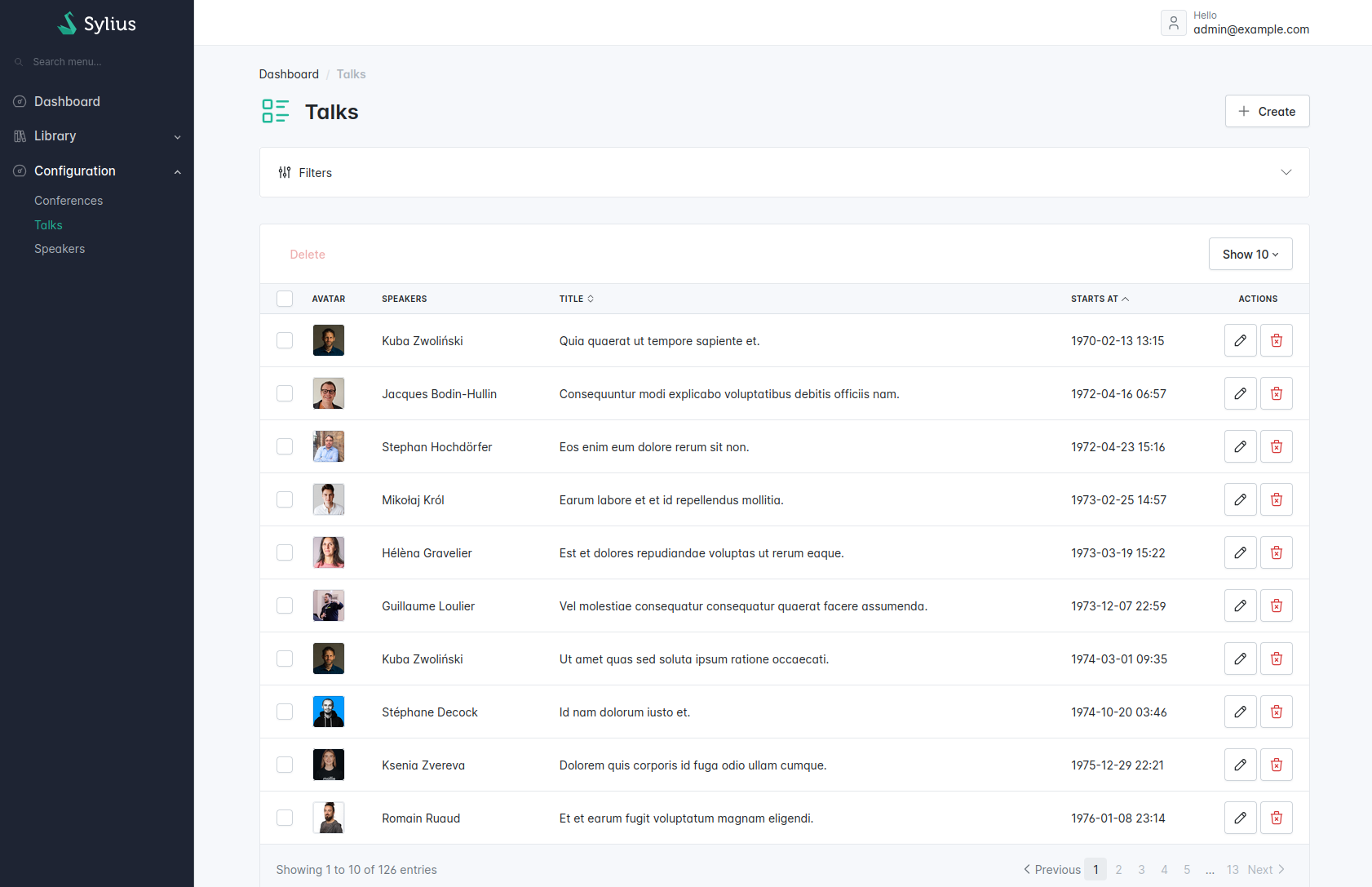
Based on the grid generated by default, our goal here is to obtain a nicely customized grid with autocomplete filters and more!

<figure><img src="/files/IxEll0tkvc6JsXRAKSS1" alt="Overview of an admin dashboard"><figcaption></figcaption></figure>

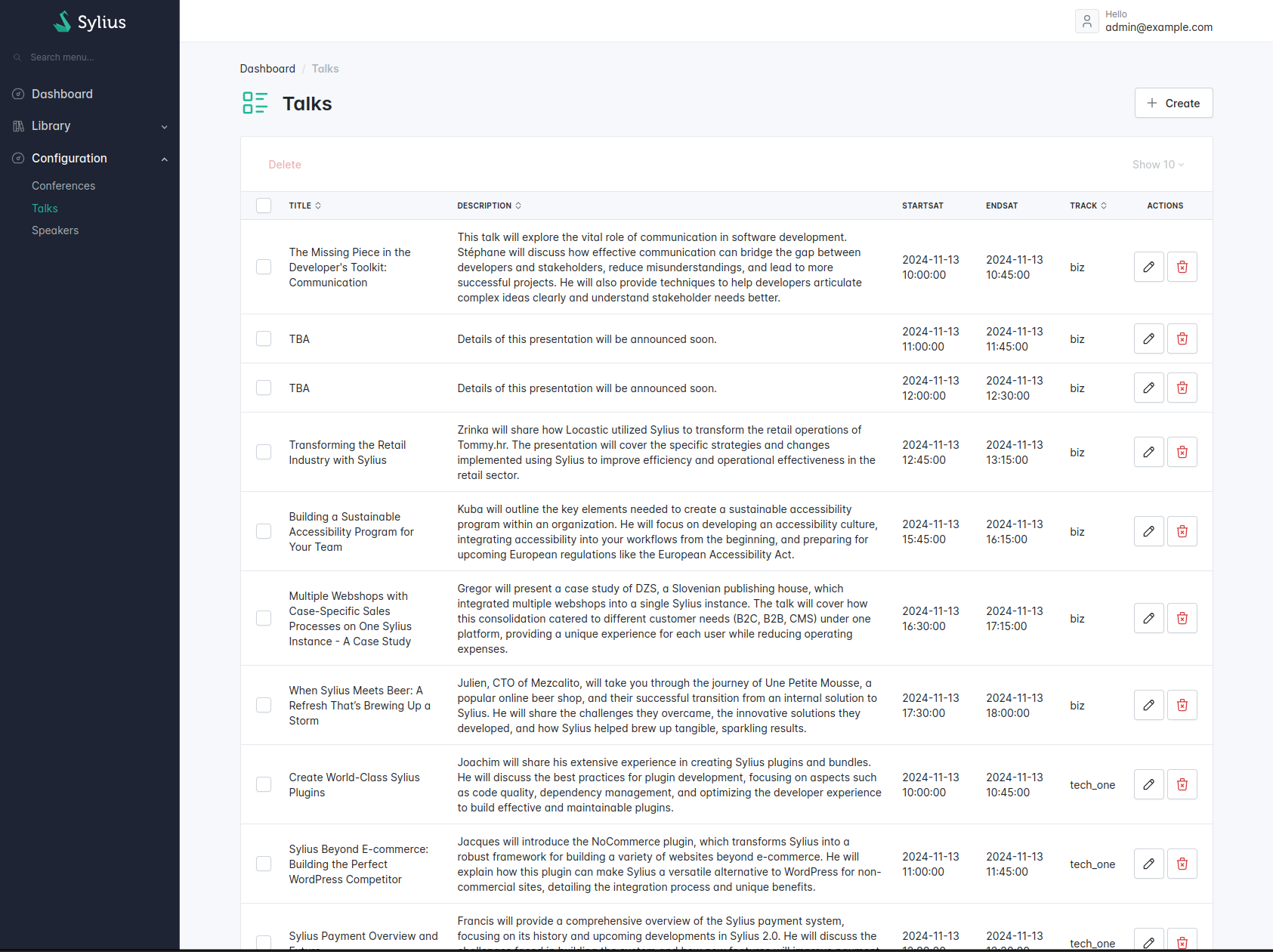
Let's imagine we have the following grid.

{% code title="src/Grid/TalkGrid.php" lineNumbers="true" %}

```php
<?php

namespace App\Grid;

use App\Entity\Talk;
use Sylius\Bundle\GridBundle\Builder\Action\CreateAction;
use Sylius\Bundle\GridBundle\Builder\Action\DeleteAction;
use Sylius\Bundle\GridBundle\Builder\Action\ShowAction;
use Sylius\Bundle\GridBundle\Builder\Action\UpdateAction;
use Sylius\Bundle\GridBundle\Builder\Field\DateTimeField;
use Sylius\Bundle\GridBundle\Builder\Field\StringField;
use Sylius\Bundle\GridBundle\Builder\GridBuilderInterface;
use Sylius\Bundle\GridBundle\Grid\AbstractGrid;
use Sylius\Component\Grid\Attribute\AsGrid;

#[AsGrid(
    name: 'app_talk',
    resourceClass: Talk::class,
)]
final class TalkGrid extends AbstractGrid
{
    public function __construct()
    {
        // TODO inject services if required
    }

    public function __invoke(GridBuilderInterface $gridBuilder): void
    {
        $gridBuilder
            // see https://github.com/Sylius/SyliusGridBundle/blob/master/docs/field_types.md
            ->withFields(
                StringField::create('title')
                    ->setLabel('Title')
                    ->setSortable(true),
                StringField::create('description')
                    ->setLabel('Description')
                    ->setSortable(true),
                DateTimeField::create('startsAt')
                    ->setLabel('StartsAt'),
                DateTimeField::create('endsAt')
                    ->setLabel('EndsAt'),
                StringField::create('track')
                    ->setLabel('Track')
                    ->setPath('track.value')
                    ->setSortable(true),    
            )
            ->withMainActions(
                CreateAction::create(),
            )
            ->withItemActions(
               // ShowAction::create(),
                UpdateAction::create(),
                DeleteAction::create(),
            )
            ->withBulkActions(
                DeleteAction::create(),
            )
        ;
    }
}
```

{% endcode %}

## Fields

<div data-full-width="false"><figure><img src="/files/76KwYEw7vUoRgnrK0dXd" alt="Overview of an admin dashboard"><figcaption></figcaption></figure></div>

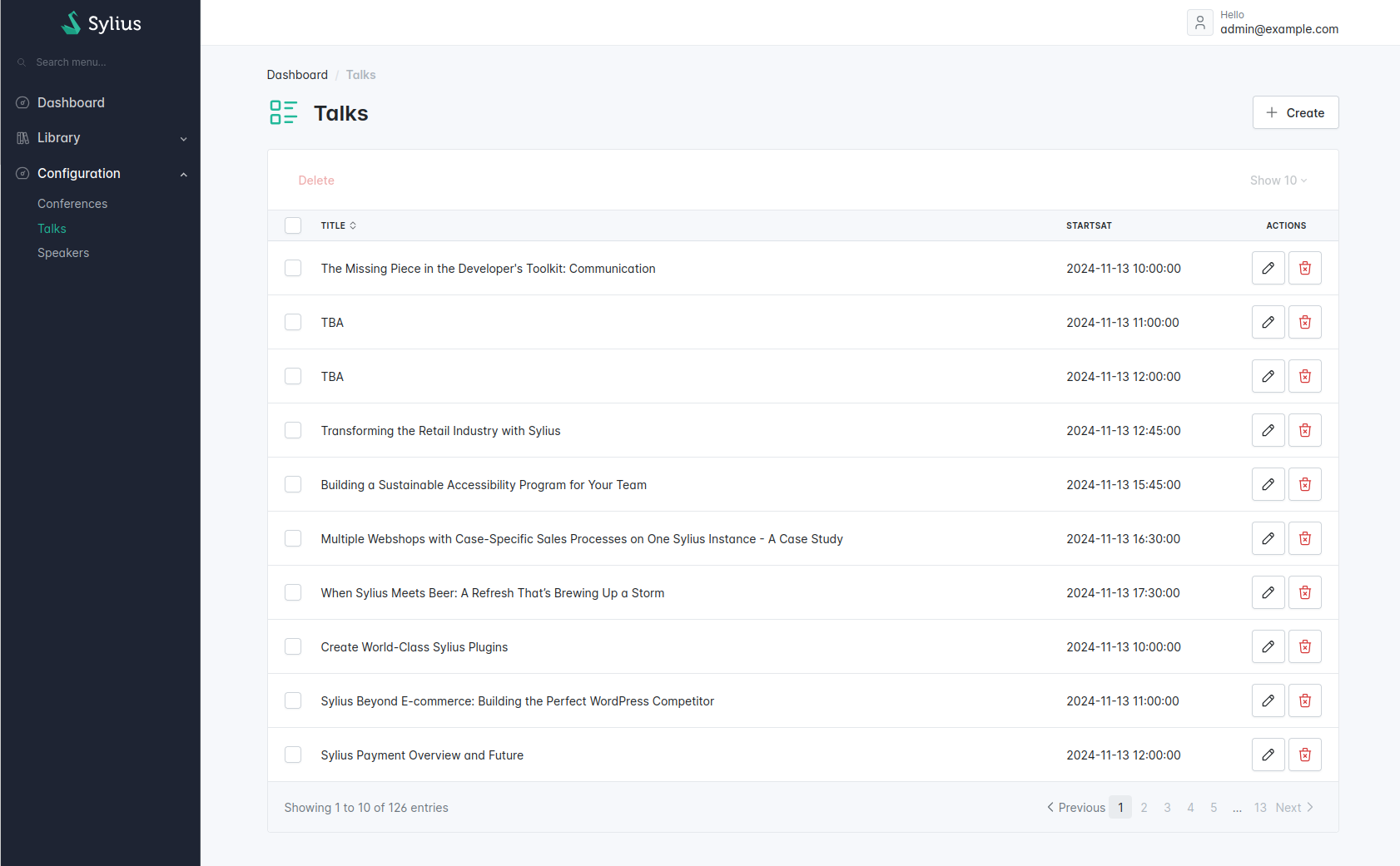
Let's clean up our grid and remove unnecessary fields.

{% code title="src/Grid/TalkGrid.php" lineNumbers="true" %}

```php
<?php

namespace App\Grid;

use App\Entity\Talk;
use Sylius\Bundle\GridBundle\Builder\Action\CreateAction;
use Sylius\Bundle\GridBundle\Builder\Action\DeleteAction;
use Sylius\Bundle\GridBundle\Builder\Action\ShowAction;
use Sylius\Bundle\GridBundle\Builder\Action\UpdateAction;
use Sylius\Bundle\GridBundle\Builder\Field\DateTimeField;
use Sylius\Bundle\GridBundle\Builder\Field\StringField;
use Sylius\Bundle\GridBundle\Builder\GridBuilderInterface;
use Sylius\Bundle\GridBundle\Grid\AbstractGrid;
use Sylius\Component\Grid\Attribute\AsGrid;

#[AsGrid(
    name: 'app_talk',
    resourceClass: Talk::class,
)]
final class TalkGrid extends AbstractGrid
{
    public function __invoke(GridBuilderInterface $gridBuilder): void
    {
        $gridBuilder
            ->withFields(
                StringField::create('title')
                    ->setLabel('Title')
                    ->setSortable(true),
                DateTimeField::create('startsAt')
                    ->setLabel('StartsAt'),
            )
            ->withMainActions(
                CreateAction::create(),
            )
            ->withItemActions()
                // ShowAction::create(),
                UpdateAction::create(),
                DeleteAction::create(),
            )
            ->withBulkActions(
                DeleteAction::create(),
            )
        ;
    }
}
```

{% endcode %}

We have removed the `description`, `endsAt` and `track` grid fields.

<div data-full-width="false"><figure><img src="/files/76KwYEw7vUoRgnrK0dXd" alt="Overview of an admin dashboard"><figcaption></figcaption></figure></div>

## Adding the speaker avatar using Twig field

<div data-full-width="false"><figure><img src="/files/bgvaZ28UmXM7PkREvwxt" alt="Overview of an admin dashboard"><figcaption></figcaption></figure></div>

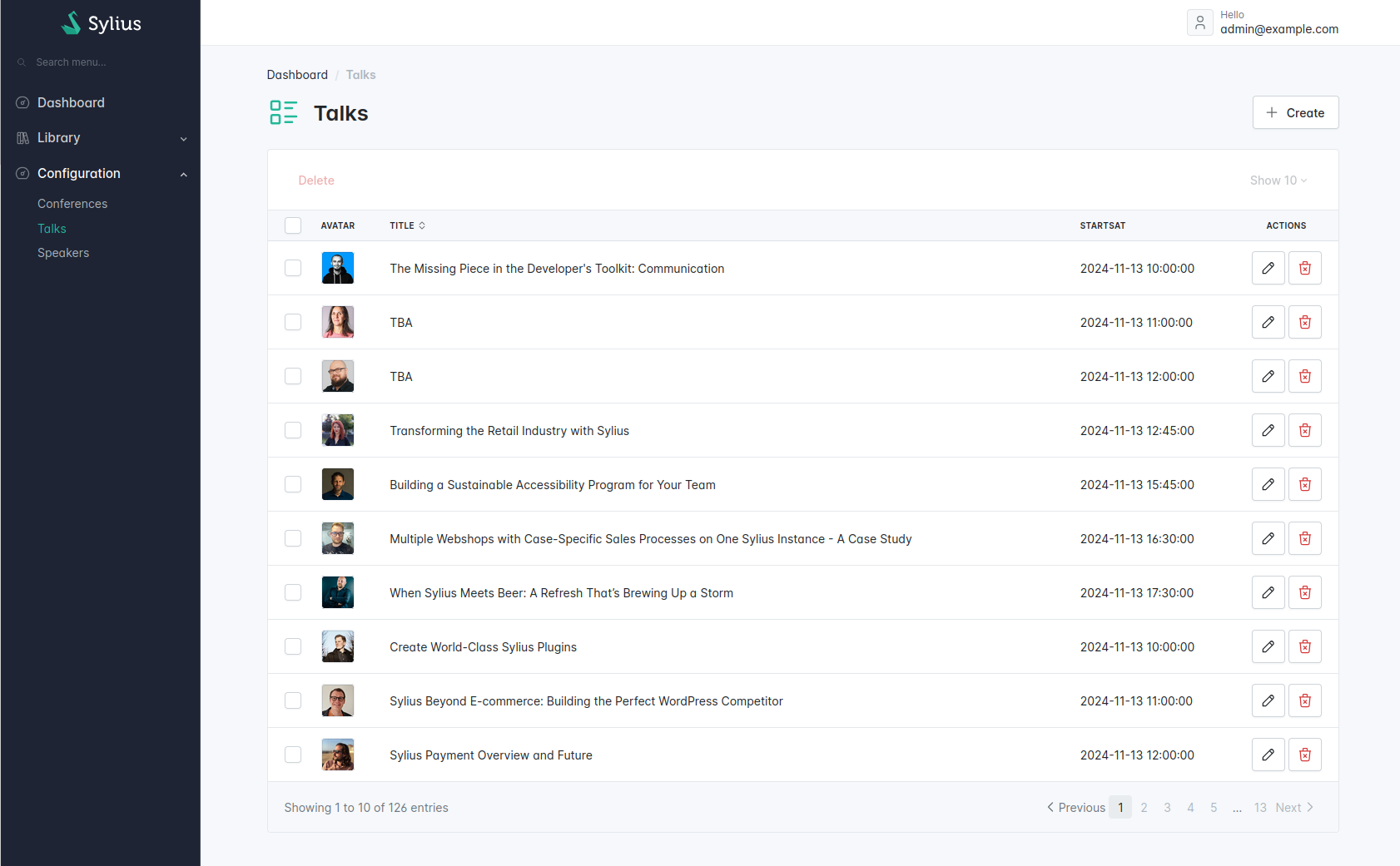
Now, let's add the speaker avatar into our talk grid.

```php
<?php

namespace App\Grid;

use Sylius\Bundle\GridBundle\Builder\Field\TwigField;
use Sylius\Bundle\GridBundle\Builder\GridBuilderInterface;
use Sylius\Bundle\GridBundle\Grid\AbstractGrid;
use Sylius\Component\Grid\Attribute\AsGrid;
// ...

#[AsGrid(
    name: 'app_talk',
    resourceClass: Talk::class,
)]
final class TalkGrid extends AbstractGrid
{
    // ...

    public function __invoke(GridBuilderInterface $gridBuilder): void
    {
        $gridBuilder
            ->withFields(
                TwigField::create('avatar', 'talk/grid/field/speaker_avatar.html.twig')
                    ->setPath('.')
                    ->setLabel('app.ui.avatar'),
            )
            // ...
        ;
    }

    // ...
}
```

{% code title="templates/talk/grid/speaker\_avatar.html.twig" lineNumbers="true" %}

```php
{{ avatar.default(avatar_path, 'img-thumbnail') }}
```

{% endcode %}

## Filters

### Adding an autocomplete filter

<div data-full-width="false"><figure><img src="/files/hD3VprldZiPN2wwbiY3w" alt="Overview of an admin dashboard"><figcaption></figcaption></figure></div>

We'd like to filter our talks by a specific speaker.

So, let's start by creating a FormType following the [Symfony UX Autocomplete Documentation](https://symfony.com/bundles/ux-autocomplete/current/index.html#usage-in-a-form-with-ajax)

{% code title="src/Form/SpeakerAutocompleteType.php" lineNumbers="true" %}

```php
declare(strict_types=1);

namespace App\Form;

use App\Entity\Speaker;
use Symfony\Component\Form\AbstractType;
use Symfony\Component\OptionsResolver\OptionsResolver;
use Symfony\UX\Autocomplete\Form\AsEntityAutocompleteField;
use Symfony\UX\Autocomplete\Form\BaseEntityAutocompleteType;

#[AsEntityAutocompleteField(
    alias: 'app_admin_speaker',
    route: 'ux_entity_autocomplete_admin',
)]
final class SpeakerAutocompleteType extends AbstractType
{
    public function configureOptions(OptionsResolver $resolver): void
    {
        $resolver->setDefaults([
            'class' => Speaker::class,
            'choice_label' => 'fullName',
        ]);
    }

    public function getParent(): string
    {
        return BaseEntityAutocompleteType::class;
    }
}
```

{% endcode %}

Now we need to create our custom Grid filter.

{% code title="src/Grid/Filter/SpeakerFilter.php" lineNumbers="true" %}

```php
<?php

declare(strict_types=1);

namespace App\Grid\Filter;

use App\Form\SpeakerAutocompleteType;
use Sylius\Component\Grid\Attribute\AsFilter;
use Sylius\Component\Grid\Data\DataSourceInterface;
use Sylius\Component\Grid\Filter\EntityFilter;
use Sylius\Component\Grid\Filtering\FilterInterface;

#[AsFilter(
    formType: SpeakerAutocompleteType::class,
    template: '@SyliusBootstrapAdminUi/shared/grid/filter/select.html.twig',
)]
final class SpeakerFilter implements FilterInterface
{
    public function __construct(
        private readonly EntityFilter $entityFilter,
    ) {
    }

    public function apply(DataSourceInterface $dataSource, string $name, mixed $data, array $options): void
    {
        // We simply reuse the logic of the built-in EntityFilter provided by the Sylius Grid package.
        $this->entityFilter->apply($dataSource, $name, $data, $options);
    }
}
```

{% endcode %}

Then, we add our `SpeakerFilter` to our grid.

{% code title="src/Grid/TalkGrid.php" lineNumbers="true" %}

```php
<?php

declare(strict_types=1);

namespace App\Grid;

use App\Grid\Filter\SpeakerFilter;
use Sylius\Bundle\GridBundle\Builder\Filter\Filter;
use Sylius\Bundle\GridBundle\Builder\GridBuilderInterface;
use Sylius\Bundle\GridBundle\Grid\AbstractGrid;
use Sylius\Bundle\GridBundle\Grid\ResourceAwareGridInterface;
use Sylius\Component\Grid\Attribute\AsGrid;
// ...

#[AsGrid(
    name: 'app_talk',
    resourceClass: Talk::class,
)]
final class TalkGrid extends AbstractGrid
{
    // ...

    public function __invoke(GridBuilderInterface $gridBuilder): void
    {
        $gridBuilder
            ->withFilters(
                Filter::create(name: 'speaker', type: SpeakerFilter::class)
                    ->setLabel('app.ui.speaker')
                    ->setOptions(['fields' => ['speaker.id']])
            );
            
            // ...
    }

    // ...
}
```

{% endcode %}


---

# Agent Instructions
This documentation is published with GitBook. GitBook is the documentation platform designed so that both humans and AI agents can read, navigate, and reason over technical content effectively. Learn more at gitbook.com.

## Querying This Documentation
If you need additional information that is not directly available in this page, you can query the documentation dynamically by asking a question.

Perform an HTTP GET request on the current page URL with the `ask` query parameter, and the optional `goal` query parameter:

```
GET https://stack.sylius.com/cookbook/admin_panel/grids.md?ask=<question>&goal=<endgoal>
```

`ask` is the immediate question: it should be specific, self-contained, and written in natural language.
`goal` is optional and describes the broader end goal you are ultimately trying to accomplish on behalf of the user. GitBook uses it to tailor the answer towards what is most useful for that goal.

The response will contain a direct answer to the question and relevant excerpts and sources from the documentation.

Use this mechanism when the answer is not explicitly present in the current page, you need clarification or additional context, or you want to retrieve related documentation sections.